
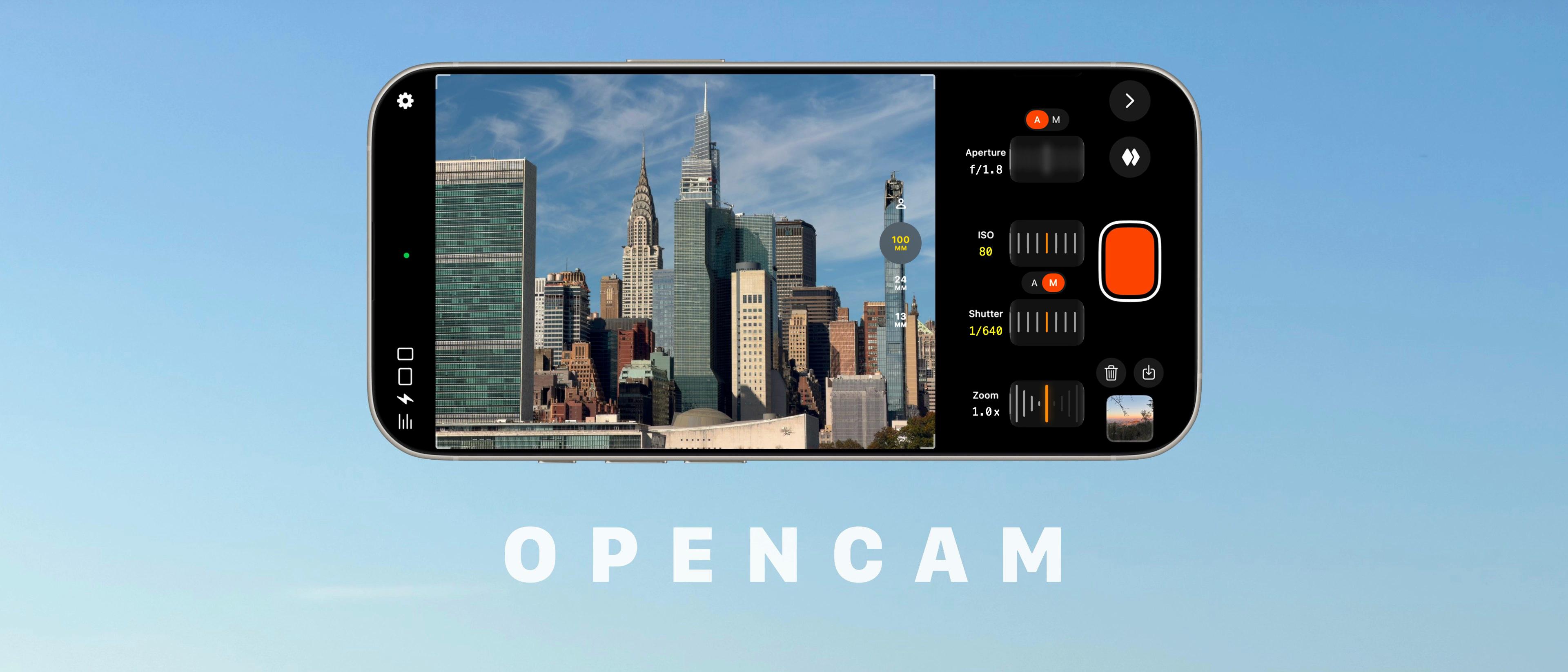
Open Gate Recording for pro filmmaking and creators oniPhone
4.5 / 5
Used by 15k+ creators
around the world

Supports iOS 17+, iPhone 12 and newer.
Loved by users and creators
Interested in featuring OpenCam?Visit our press page for media assets and contact information.
5 out of 5 stars 10/10 app for utilising the whole camera sensor
Excellent app that’s simple to use. It’s kinda crazy that it’s not a feature even on the Blackmagic app.
A Homie For You OpenCam is the First iPhone App to Shoot Open Gate Video in Apple Log!Epic Tutorials for Mobile Filmmaking
5 out of 5 stars Great App for many reasons
The app is beautiful, it’s simple with a lot of depth.
Bendana Banana5 out of 5 stars Fantastic App
Great app. Fantastic layout, with all controls easily accessible. Great quality video.
okcomputer5 out of 5 stars Current version shoots 4k open gate in log!
The current version shoots 4k open gate in Apple Log 2 in whatever codec you choose! Freaking AWESOME!
lkingston What’s on my iPhone 17 Pro: Photographer’s EditionTyler Stalman
5 out of 5 stars Awesome!
UI is very well done. Love the zoom and exposure controls.
JamesDoom4125 out of 5 stars My favourite video app
This app is wonderful. Very easy to use! I use it for all my video needs now
wxl255 out of 5 stars Not bad at all
I was really sceptical about this one but I have to say it’s really good - nice interface, no bugs
Onesidemedia5 out of 5 stars Cool app
I like the ability it gives to completely customise my shooting options, very intuitive to use
mrmrjing5 out of 5 stars Fantastic! Footage looks great
I’ve been using Kino to shoot apple log video, but this is my new app.
theothersam123
 Unlock This Smartphone Filmmaker ToolAnthony Aguiar’s Organalog
5 out of 5 stars Great app for Open Gate videos
It’s a great app definitely worth buying.
Wiktt0r5 out of 5 stars Very good
Very good implementation with actual log output
JustinW_AK5 out of 5 stars It's great!
The app is amazing and the developer should be praised to the lifetime pricing option
PatrikZero5 out of 5 stars Melhor app de app engate
Estou adorando o app e usando em meus trabalhos. É o melhor app de open gate.
EddySangalli5 out of 5 stars Excellent
Application testé et approuvé, très bien conçue et fiable
Benji-unit L’Open Gate pour tous les iPhone : OpenCamLittle Walk Of Fame
5 out of 5 stars 非常好
目前用下来4:3最好用的app
Who's Chaos 19675 out of 5 stars Best open gate app for the iPhone 16 pro !
Best Open Gate
Dagalyum5 out of 5 stars The best
Great app. 5 stars
Lex.G4 out of 5 stars Easy and effective
I really like the simplicity to record open gate
DrCisneros
Features
Unlock your iPhone's true filmmaking potential with wider framing and professional controls.

Full sensor recording
On iPhone 18 Pro, record the full 4:3 sensor as 4.2K ProRes RAW, straight from the sensor for maximum grading flexibility.
On iPhone 17 and iPhone Air, use the entire square selfie sensor.

Pro manual controls

Clean file management

Instant LUT previews

External SSD recording

Built-in teleprompter

Get OpenCam updates
News, features, announcements, and releases from OpenCam. Unsubscribe anytime.
Frequently asked questions
Answers to commonly asked questions about OpenCam
On iPhone 17 and iPhone Air, experience the new 1:1 full-sensor square mode, perfect for creators who shoot for both portrait and landscape formats.
With Apple Log and Open Gate recording, you’ll preserve every stop of dynamic range for precise color grading, complete with real-time LUT previews to see your look as you film.
You can now just film a single video, and have more room to edit it for both vertical and horizontal formats, for platforms like YouTube, TikTok, Instagram, and more.